
Onboarding Guide
Learn how to register your organization, access your dashboard, and start publishing high-quality AI Model Cards.
Account Creation & Authentication
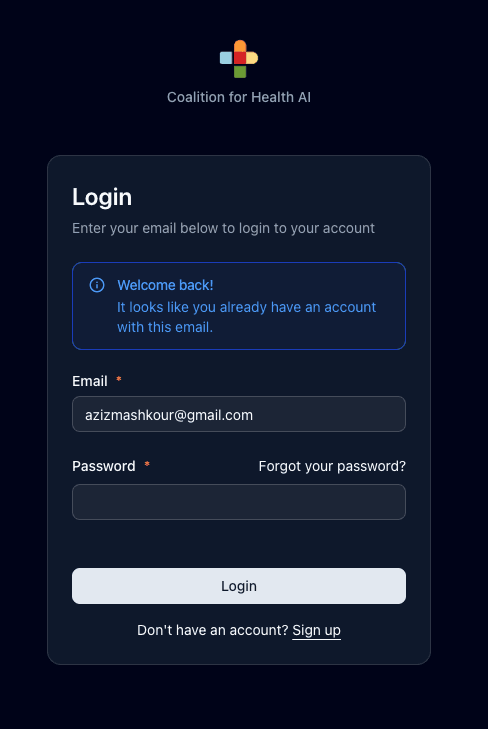
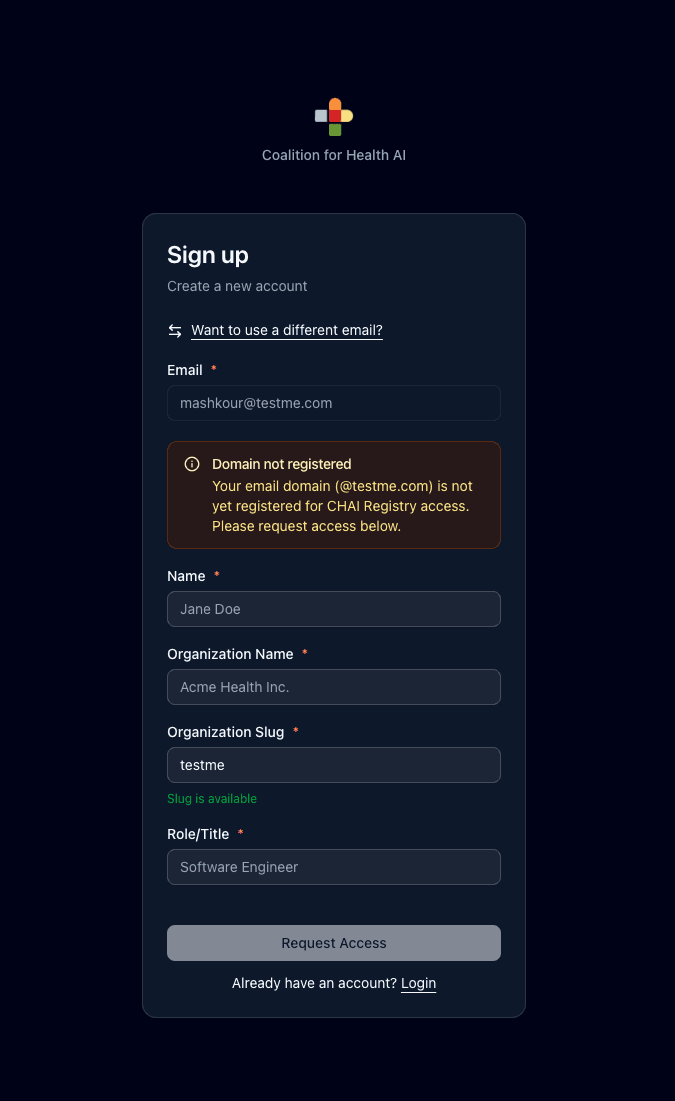
The CHAI Registry uses domain-based authentication. When you sign up through the CHAI Auth Service, the system automatically checks if your email domain is already registered.
If your colleagues have already set up the organization, simply enter your password to join them.
Fill out the Request Form. Our admin team will validate your organization and notify you.
Organization Membership
To maintain high data integrity, the CHAI Registry does not allow users to join organizations from within the app interface.
Publishing & Customization
Automated Dashboard
Once logged in, your dashboard is pre-configured for your organization. Click + New Solution to begin your entry.
Public Branding
All submissions are indexed under your organization’s public profile (e.g., /org-name).
Logo & Profile
Authenticated members can manage their organization's public identity by updating logos and descriptions directly on the profile page.
Ready to contribute?
"You need an organization to add model cards. If your domain isn't registered, please contact our team."